
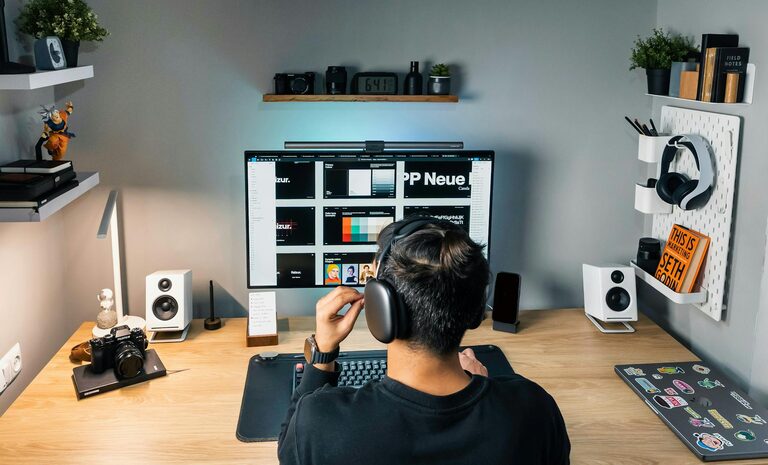
Tips for Organizing a Productive Home Workspace
Creating a productive home workspace is key to maintaining focus and efficiency throughout your workday. Whether you’re working remotely full-time or just need a dedicated area for occasional tasks, organizing your space can help you stay motivated and comfortable. This post covers practical tips to set up a home workspace that supports your productivity and well-being.
Choose the Right Location
Finding the best spot in your home for a workspace is the first step.
– Quiet and Low-Traffic Area: Select a space away from distractions like TVs, kitchens, or busy hallways.
– Natural Light: Position your desk near a window if possible. Natural light helps reduce eye strain and lifts your mood.
– Ventilation: Ensure the area is well-ventilated to keep air fresh and improve concentration.
If you don’t have a dedicated room, consider smaller nooks or corners where you can place a desk without disturbance.
Invest in Ergonomic Furniture
Comfort plays a big role in productivity and health.
– Ergonomic Chair: Choose a chair that supports your lower back and encourages good posture.
– Adjustable Desk: If possible, use a desk that can be adjusted to suit your height, or consider a sit-stand desk to alternate positions.
– Proper Monitor Placement: Your computer screen should be at eye level to avoid neck strain.
Taking care of your posture can prevent discomforts that interrupt your workday.
Declutter and Organize Your Desk
A clean and organized desk helps keep your mind clear.
– Keep Only Essentials: Limit the items on your desk to what you use regularly.
– Use Storage Solutions: Employ drawers, shelves, or organizers to keep supplies like pens, notebooks, and cables out of sight but accessible.
– Cable Management: Use clips or ties to keep wires tidy and prevent tangles.
Regularly tidy your workspace to maintain this organized setup.
Create Zones for Different Tasks
If your workspace is larger, consider dividing it into areas based on tasks.
– Work Zone: Where you do your main tasks like using a computer or writing.
– Reference Zone: A spot for books, documents, or notes you need to access frequently.
– Supply Zone: Keep office supplies and tools in one designated place.
Zoning can help you stay organized and make switching tasks smoother.
Use Technology to Enhance Focus
Technology can be both helpful and distracting. Organize your digital workspace as well.
– Declutter Your Desktop: Keep your computer desktop clear with only necessary files and shortcuts.
– Productivity Apps: Use apps or timers to manage tasks and breaks effectively, such as task lists or Pomodoro timers.
– Noise Control: Consider noise-canceling headphones or background instrumental music to block distractions.
Managing digital clutter is just as important as physical clutter.
Personalize Without Overdoing It
Personal touches can make your workspace inviting, but too much can be distracting.
– Add Plants: Small plants improve air quality and bring a natural, calming element.
– Inspiring Art or Photos: Place one or two meaningful items, like artwork or photos, that motivate you.
– Comfort Items: A cozy throw or a favorite mug can add comfort without crowding your desk.
Balance personal items so they enhance, rather than interrupt, your focus.
Establish a Daily Routine
Organization extends beyond physical space to how you manage your time and tasks.
– Start and End Times: Set consistent work hours to build a routine.
– Plan Your Day: Make a to-do list or schedule so you know what to focus on.
– Break and Movement: Incorporate short breaks and stretch to refresh your body and mind.
A structured day helps you stay productive and avoid burnout.
Maintain Your Workspace Regularly
Keep your workspace in top shape by making maintenance a habit.
– Weekly Clean-Up: Spend time each week clearing clutter, dusting, and reorganizing.
– Review Your Setup: Periodically assess whether your layout and tools are still working for you.
– Adjust as Needed: Don’t hesitate to change your setup to boost comfort or effectiveness.
Regular upkeep helps maintain an environment that supports your productivity.
—
Organizing a home workspace isn’t just about making it look neat—it’s about creating an environment that fosters focus and efficiency. With the right location, ergonomic furniture, organized supplies, and healthy work habits, you can maximize your productivity and enjoy your work-from-home experience. Try out these tips and tailor them to your preferences to find what works best for you.
