
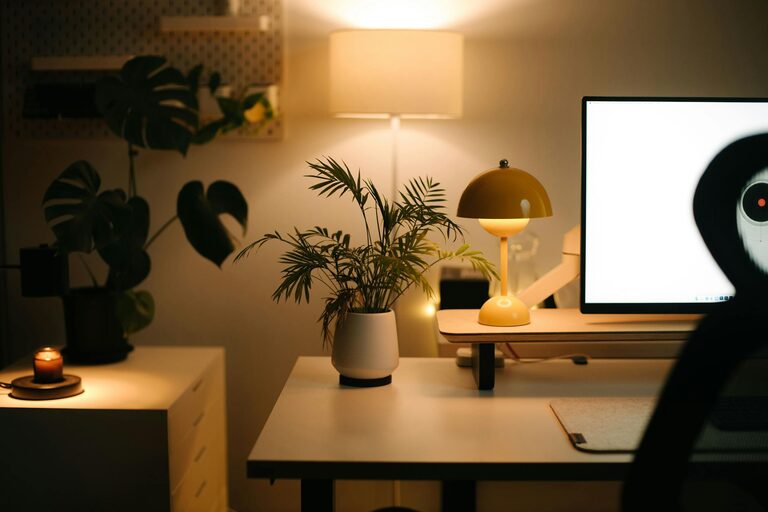
Tips for Creating a Cozy and Productive Home Workspace
Creating a home workspace that is both cozy and productive can greatly improve your work-from-home experience. Whether you’re a remote worker, a freelancer, or someone who occasionally works from home, having a space that inspires focus while feeling comfortable is essential. Below, we share practical tips to help you design a workspace that supports your wellbeing and efficiency.
Why a Cozy Workspace Matters
Working from home comes with unique challenges, and one of the most significant is maintaining productivity without the traditional office environment. A cozy workspace helps reduce stress, prevent fatigue, and boost motivation by making your area inviting and easy to work in. When your desk feels welcoming, you’re more likely to look forward to your work sessions and stay focused longer.
Choosing the Right Location
Find Natural Light
Try to position your workspace near a window. Natural light improves mood and energy levels, making tasks feel easier. If natural light isn’t available, invest in a quality daylight lamp that simulates sunlight.
Minimize Distractions
Choose a quiet corner or a separate room where you can focus without interruptions. Inform family or housemates about your working hours to maintain a peaceful environment.
Ergonomic Setup for Comfort and Health
Invest in a Good Chair
A comfortable chair with adjustable height and lumbar support can prevent back pain and fatigue. Proper seating keeps your posture aligned and allows you to work longer without discomfort.
Desk Height and Monitor Position
Ensure your desk height allows your arms to rest comfortably at a 90-degree angle when typing. Position your monitor at eye level to avoid neck strain. Consider a monitor stand or adjustable arm if needed.
Keyboard and Mouse Placement
Keep your keyboard and mouse close enough to avoid unnecessary reaching. Use a wrist rest if you spend hours typing to reduce strain.
Personalizing Your Space
Use Soothing Colors
Colors influence mood and focus. Soft blues, greens, or neutral tones often create a calm atmosphere. Avoid overly bright or flashy colors that can be distracting.
Add Plants
Indoor plants improve air quality and offer a connection to nature, which can reduce stress. Easy-care plants like succulents or pothos are ideal for a home workspace.
Incorporate Personal Touches
Display photos, artwork, or meaningful objects that inspire you. Just be careful not to overcrowd your desk, as clutter can negatively impact focus.
Organizing for Efficiency
Keep Essentials Within Reach
Store frequently used items in desk drawers or organizers close by to minimize interruptions during work.
Declutter Regularly
A tidy desk helps clear your mind. Set aside a few minutes at the end of each day to organize papers, pens, and gadgets.
Use Cable Management Solutions
Wires and cords can quickly create visual clutter. Use clips, sleeves, or cable boxes to keep them neatly arranged.
Lighting for Work and Comfort
Layer Your Lighting
Use a combination of natural light, overhead lights, and desk lamps. This balance prevents eye strain and adapts your workspace to different times of the day.
Adjustable Desk Lamp
Choose a lamp with adjustable brightness and color temperature settings. Cooler light tones stimulate alertness during work hours, while warmer tones are better for relaxing.
Incorporating Breaks and Movement
Designate a Relaxation Spot
If possible, include a small comfortable chair or cushion nearby for short breaks. Changing posture and environment can refresh your mind.
Stretch and Move Regularly
Set reminders to stand up, stretch, or take a quick walk every hour. Movement reduces tension and improves circulation, which helps maintain focus.
Technology Tools and Connectivity
Reliable Internet
Ensure you have a strong and stable internet connection. A slow or unstable connection can cause frustration and disrupt your workflow.
Use Productivity Apps
Tools like task managers, calendars, and focus apps can keep your schedule organized and help you manage your time well.
Invest in Good Audio Equipment
If you attend virtual meetings, quality headphones or speakers improve communication and help block distracting background noise.
Maintaining Work-Life Balance
Set Boundaries
Define specific work hours and try to stick to them. This helps your mind separate work from personal life.
Create a Clear Start and End Routine
Simple habits like opening your blinds, tidying your desk in the morning, or closing your laptop at the end of the day signal the beginning and end of your work time.
—
By combining these tips, you can create a home workspace that feels like your personal productivity haven—inviting enough to relax in but structured enough to keep you focused. Remember, your workspace should evolve with your needs, so feel free to customize and adjust until it perfectly fits your working style. Happy creating!


